 Golden Shuffle
Support & FAQ
Need help? Find your answer below or email us.
Is Golden Shuffle free?
Yes. It is free to play with optional rewarded ads (you choose to watch them) and optional in-app purchases. You can play the whole game without paying.
How do I play?
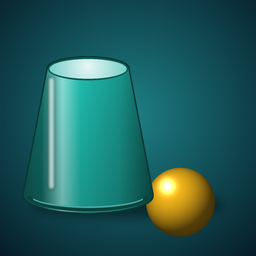
Watch which cup hides the golden ball. The cups then shuffle. Tap the cup you think hides the ball within 10 seconds.
How many cups and games are in each level?
You start with 2 cups. A new cup is added after levels 4, 12, 28, 60, 124 and so on, up to 12 cups. Levels 1-10 need 1 game, 11-50 need 2 games, 51-150 need 3 games, 151-350 need 4 games and later levels need 5 games.
What happens if I pick the wrong cup?
You can try again (your games in this level restart) or revive with a short video or 30 gems to keep your progress in the level.
What do the boosters do?
Slow-Mo slows the shuffle (use it before the shuffle ends). +5 Seconds adds time while you choose. Remove Cup takes away one wrong cup.
Where are the rankings?
On Google Play Games. Tap Ranks on the home screen to open the leaderboards and Awards for the achievements. Sign in with Google Play Games first.
Why are my scores not on the leaderboard?
Scores are sent only when you are signed in to Google Play Games and the Game found no edited data or cheating tools on your device.
Where is my progress saved?
On your phone, and in your Google account if you sign in to Google Play Games (Profile → Sign in). Purchases can always be restored with Shop → Store → Restore purchases.
Why do I have to be online for the daily reward?
The Game checks the real date from the internet so the daily reward cannot be cheated by changing the phone clock.
A purchase did not arrive. What do I do?
Open Shop → Store and tap Restore purchases. If it still does not arrive, email us with the Google Play order number (it starts with GPA.).
I got a message that my save was changed.
The Game found data that it did not write itself and restored your last safe progress. Do not use save editors or speed tools; they can reset your progress and turn off rankings.
How do I change my ad privacy choices?
Settings → Ad privacy settings (shown to players in Europe, the UK and Switzerland).
Contact us
Email: hbhammaddyar0@gmail.com
Please tell us your phone model and the game version (Settings, at the bottom).